payload-site-starter
Next.js website template with a layout builder, blog, search, SEO and live preview on Postgres
20
v?
Next.js
Updated 1 years agoBlock-based website builder on Payload 3.0 with Next.js, Tailwind CSS and the form builder plugin
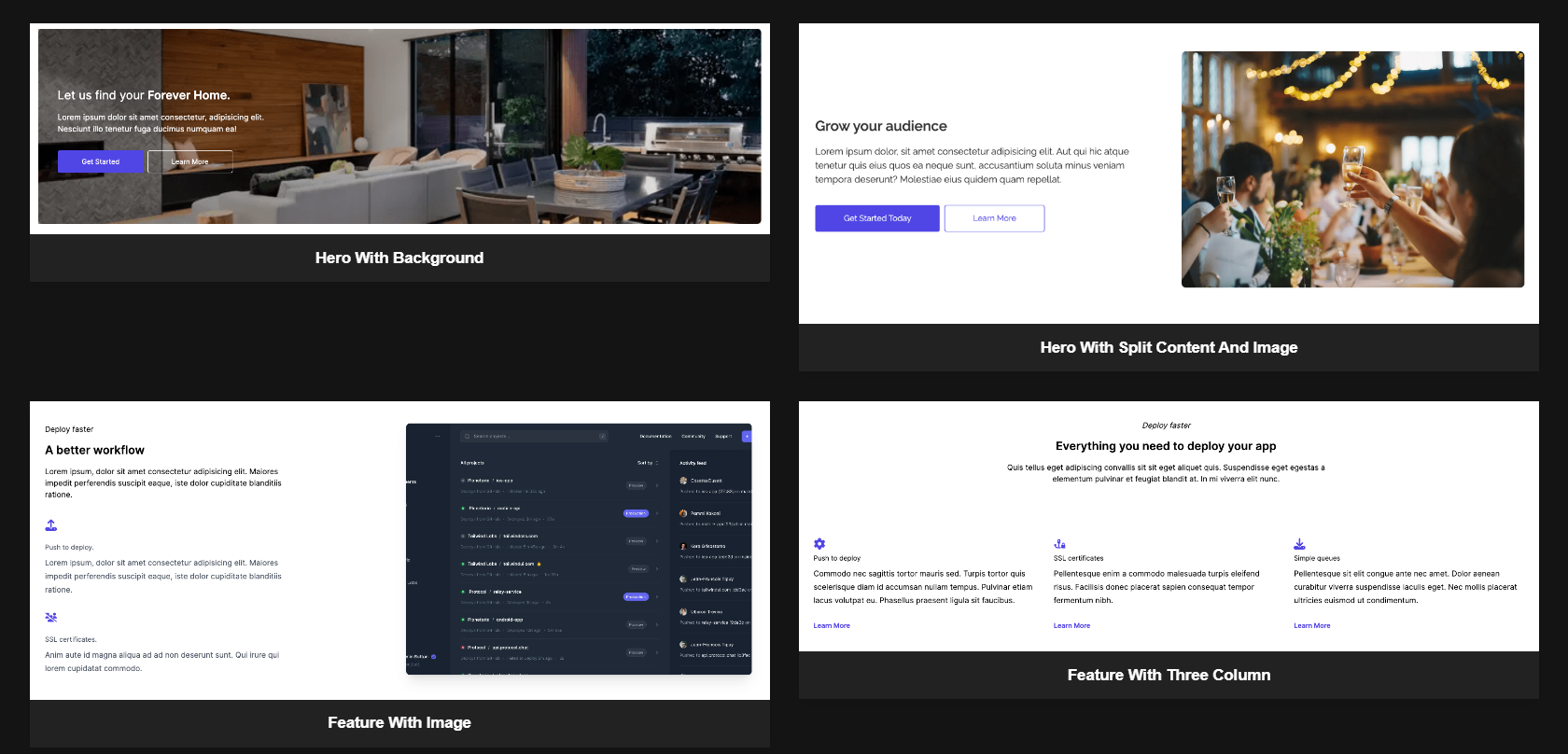
A website template built with Payload 3.0 beta, Next.js, React and Tailwind CSS. Pages are assembled in the admin panel from pre-built blocks, and custom blocks can be added. It uses MongoDB and needs a database URI and a Payload secret. Docker and one-click Vercel deployment are supported.
A blank template to get started with Payload 3.0
This repository is a GitHub template: create your own copy of it in one click.
Create a repository from this template






A website builder template built with Payloadcms 3.0
View Tutorial »
View Demo
·
Report Bug
·
Request Feature
·
Contact Us
Build your website with ease using our website builder template. Our block-based system makes making your website as easy as dragging and dropping a couple of blocks!




To get a local copy of our template up and running follow these simple steps.
npm install npm@latest -g
MONGO_DATABASE_URI=<your-database-url>
PAYLOAD_SECRET=<your-payload-secret>
To spin up the project locally, follow these steps:
cd YOUR_PROJECT_REPOyarn && yarn dev (or docker-compose up, see Docker)open http://localhost:3000/admin to access the admin panelThat's it! Changes made in ./src will be reflected in your app.
Alternatively, you can use Docker to spin up this project locally. To do so, follow these steps:
.env file in your project rootdocker-compose upThat's it! The Docker instance will help you get up and running quickly while also standardizing the development environment across your teams.
To run Payload in production, you need to build and serve the Admin panel. To do so, follow these steps:
payload build script by running yarn build or npm run build in your project root. This creates a ./build directory with a production-ready admin bundle.yarn serve or npm run serve to run Node in production and serve Payload from the ./build directory.The easiest way to deploy your project is to use Payload Cloud, a one-click hosting solution to deploy production-ready instances of your Payload apps directly from your GitHub repo. You can also deploy your app manually, check out the deployment documentation for full details.
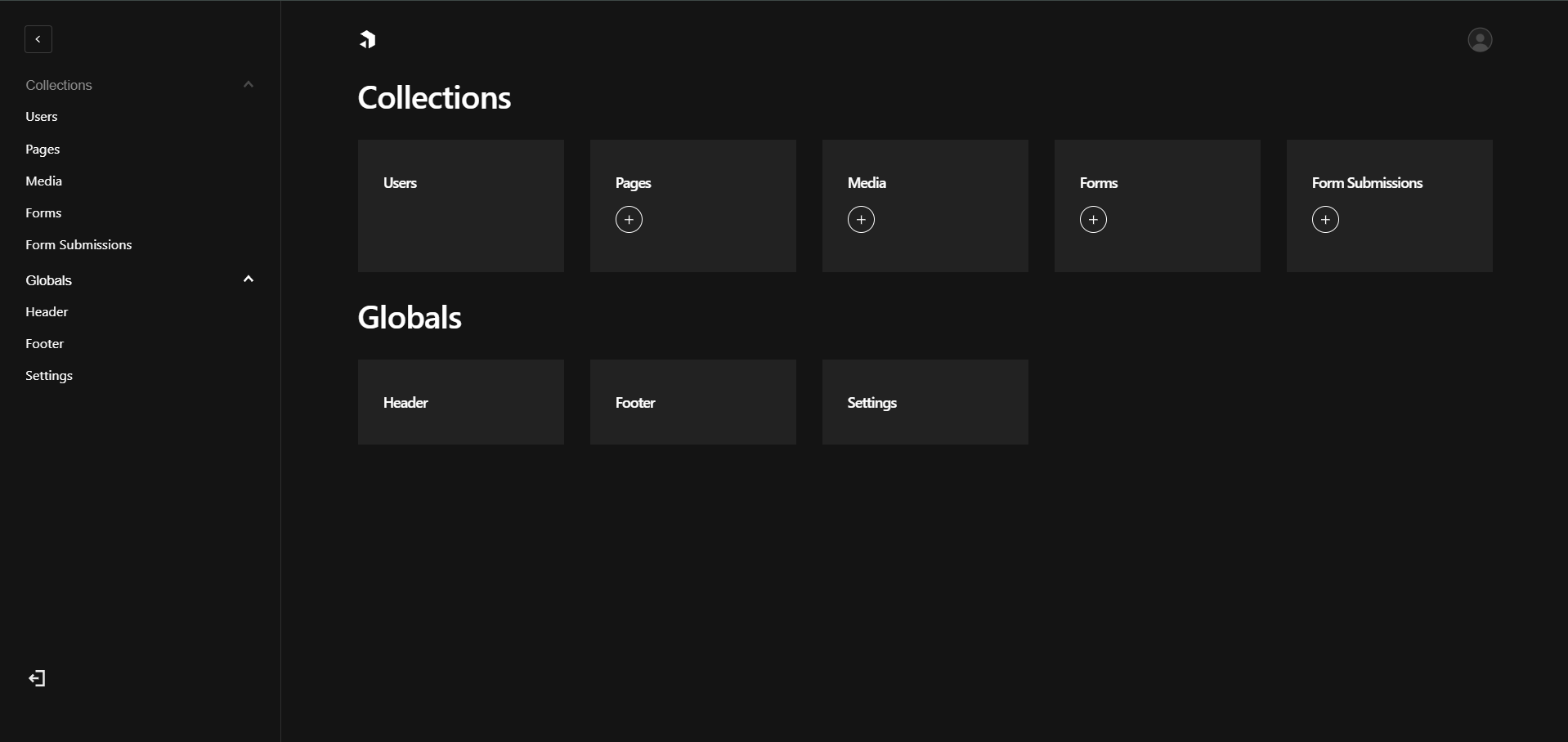
Manage your backend with the admin dashboard
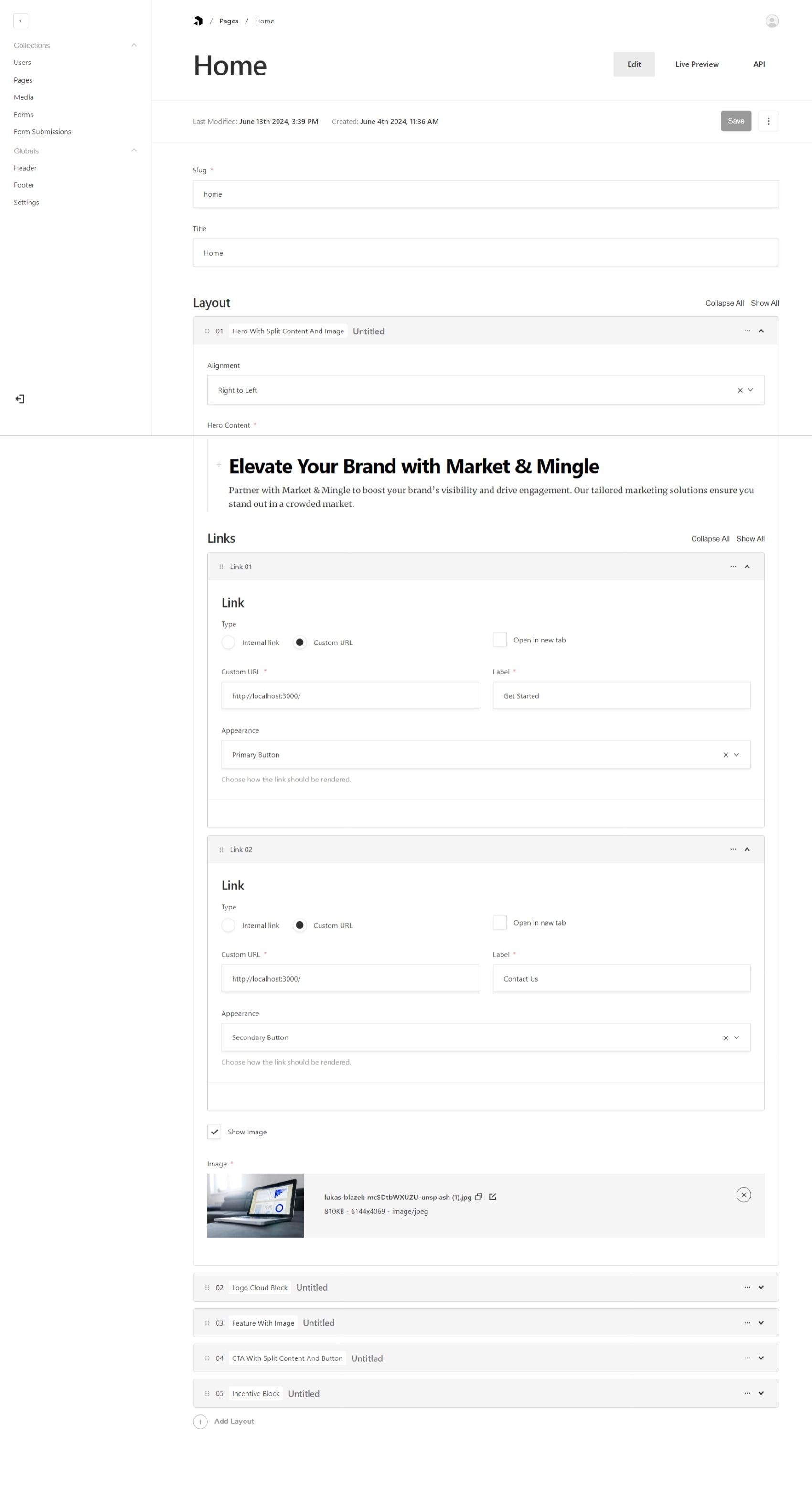
Build pages from your dashboard with layout and blocks from the pages collection.
 |
 |
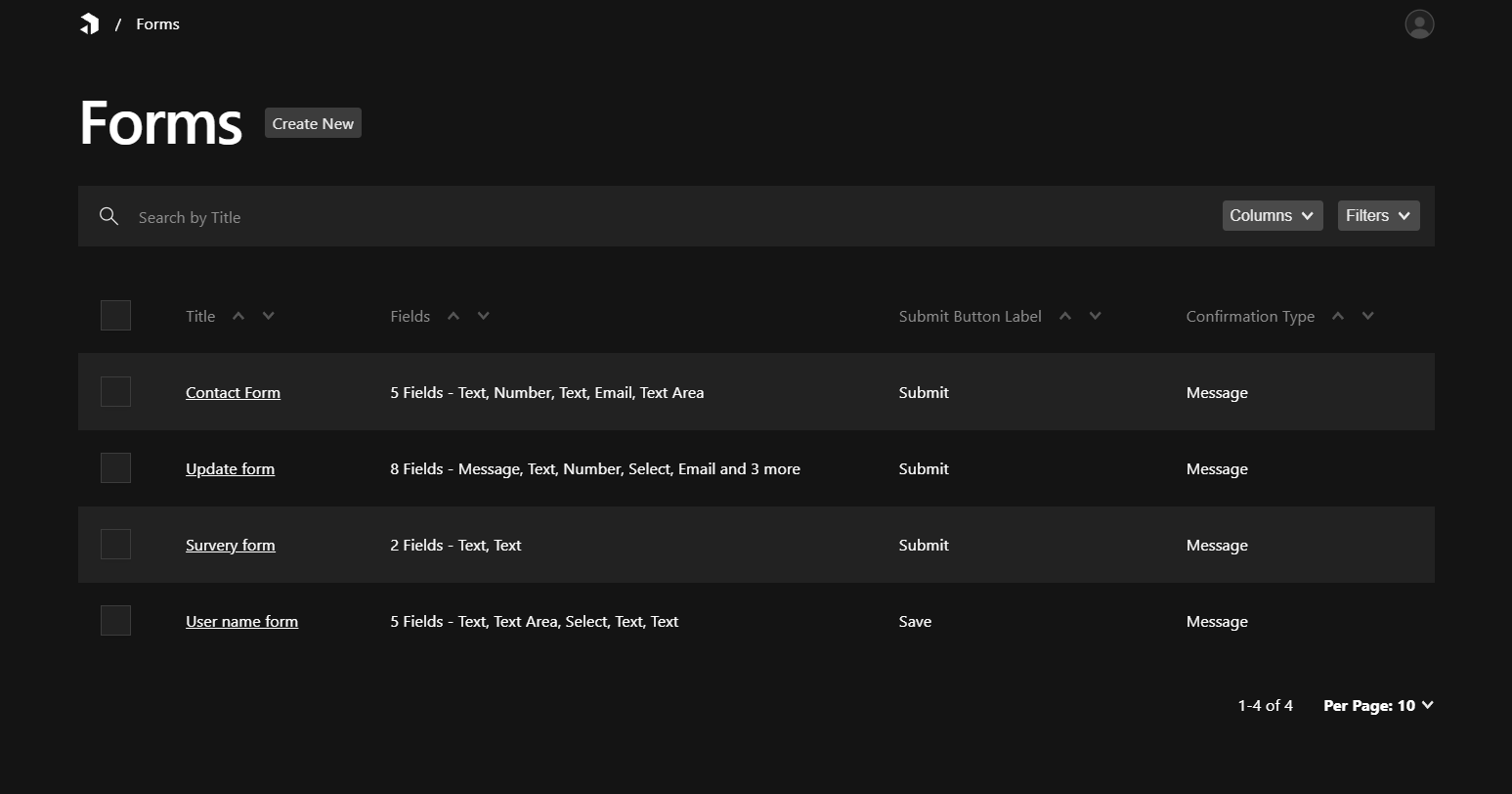
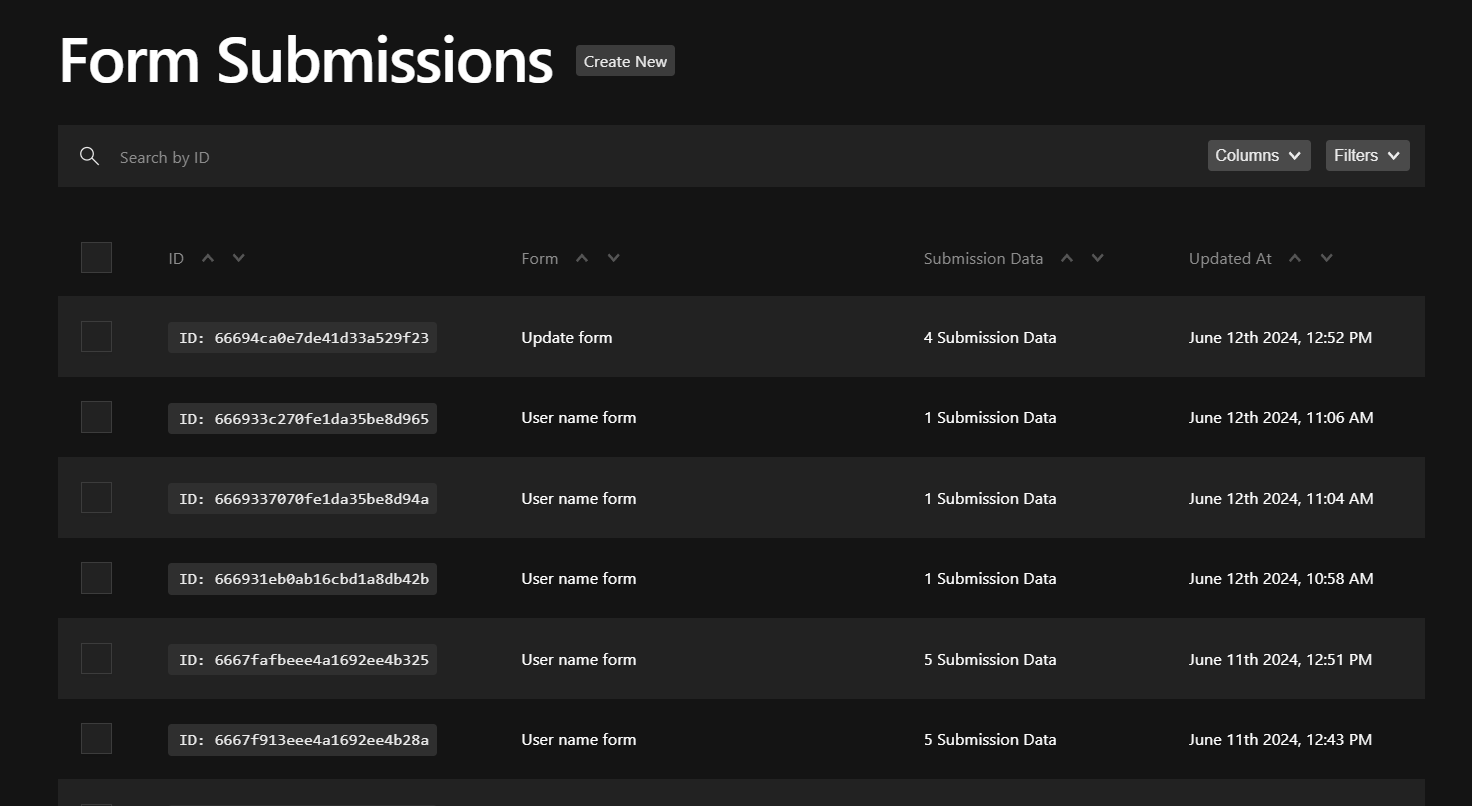
We leverage the powerful Form builder plugin to give you the best form creation and submission experience!
Simply create your form and add it as a block in your page. Form submissions will be sent straight to your dashboard!
 |
 |
What your forms will look like

This is the typical file structure of the project.
  src
  ├── access
  ├── app
  │   ├── (app)
  │   ├── (payload)
  │   │   ├── admin
  │   │   ├── api
  │   │   ├── Blocks
  │   │   └── fields
  │   ├── globals
  │   └── my-route
  ├── collections
  │   ├── Media
  │   ├── Pages
  │   └── Users
  ├── common
  │   ├── Blocks
  │   └── Components
  ├── utilities
  │── payload-types.ts
  └── payload.config.ts
payload.config.ts is the configuration file for the payload application. You can control the configuration for the entire application from here.
Whenever you create a collection or globals schema, you have to add it to the config file and generate types for it using the command:
yarn generate:types
This will generate payload-types.ts file in your root directory.
Collections:
Contributions are what make the open source community such an amazing place to learn, inspire, and create. Any contributions you make are greatly appreciated.
See the open issues for a full list of proposed features (and known issues).
If you have a suggestion that would make this better, please fork the repo and create a pull request. You can also simply open an issue with the tag "enhancement". Don't forget to give the project a star! Thanks again!
git checkout -b feature/AmazingFeature)git commit -m 'Add some AmazingFeature')git push origin feature/AmazingFeature)Distributed under the MIT License. See LICENSE.txt for more information.
Open Ocean Technologies - @cornerrrhq - [email protected]
Project Link: https://github.com/OpenOceanHQ/payloadcms-website-template
Next.js website template with a layout builder, blog, search, SEO and live preview on Postgres
Payload 3 and Next.js website starter with a layout builder, live preview, SEO tools and Postgres
Payload starter with Puck visual page editing, a page tree and Better Auth sign-in on Next.js and Postgres