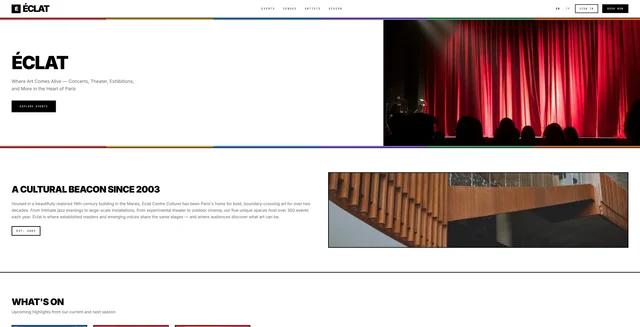
events
Event ticketing and venue booking app built on Payload, Next.js and the payload-reserve plugin
0
v3
Next.js
Updated 2 months agoSmall business website for counseling services with Payload, Next.js, MongoDB and Cloudflare R2 storage
A business website template built for substance and mental health counseling practices, using Payload CMS 3 with Next.js 15 and MongoDB. It provides block-based pages for services, team members, resources, and about content, with media stored on S3-compatible storage such as Cloudflare R2. Optional integrations include Google Maps, Resend email, and Unsplash. It requires a MongoDB database and S3 credentials for production.
BASESmi.org website.
This repository is a GitHub template: create your own copy of it in one click.
Create a repository from this templateThis project was built with PayloadCMS and Next.js 15, focusing on providing substance and mental health counseling services.
This project is designed to be my base boilerplate for any new small business websites. For my current job as a counsler, my boss wanted to utilize my tech skills to improve the business website. This is my third iteration since starting 5 years ago. One thing I found is the need to modify to meet specific business needs, that's where Payload comes in. Also, if I'm going to make money doing this I better have a solid starting point. I hope others find use out of it too.
pnpm install to install dependencies..env.example to .env and fill in the required details.Before running the application, you need to set up the following services:
MongoDB Database
MONGODB_URI in your .env fileS3 Compatible Storage (Cloudflare R2)
S3_ENABLED=true for productionGoogle Maps API
GOOGLE_MAPS_API_KEYResend Email
RESEND_API_KEYRESEND_DEFAULT_EMAILUnsplash API
UNSPLASH_ACCESS_KEY and UNSPLASH_SECRET_KEYpnpm run dev to start the development server.You'll most likely want to create the Home page first. When adding blocks you'll notice you need other pages to link to on your header's call to action. This template has blocks to make the following pages:
I didn't create a contact page/form as my boss prefers customers call, so that's the primary CTA on mobile. I may add a form later.
This one is easy as you can simply click the "Seed Services" that is only shown when the there are no services in the database. This has a custom select field to select a matching icon.
This one is also easy as you can simply click the "Seed Team" that is only shown when the there are no team members in the database. This can take 20-30 seconds to complete on Vercel on the free plan, so increase your function length to at least 30 seconds. This also has SEO fields for each team member. The layout of those pages uses the TeamMemberBlock automatically.
My boss uses the website to quickly grab videos for group trainings, and other resources. So, I hide the pages from webcrawlers with the 'hideFromSearchEngines' checkbox in the SEO tab. Also, he would like to add link cards, but would never be bothered to add an image, so I use Unsplash API to grab a random image for the card when you choose 'generate' instead of 'manual upload'. You simply add coma seperated keywords for the type of image you want to be generated.
This is basically just a RichText Field. I have a subtitle field to help match the theme of the website. Also, the is a hasMany upload field to add images that open in a slider which is setup to rotate every 5 seconds. Probably an easier way of doing this, but I originally planned for a slider.
This one is pretty easy as you can simply click the "Seed Links" that is only shown when the there are no links in the database. This has a custom select field to select a matching icon. This uses the LinksBlock automatically.
You add menu items to the header and footer. in the footer you can also add the company info and a google map by simply clicking a checkbox. The encypt and decrypt utilities are in the utilities folder as I was going to have a field for the API key, but later changed my mind.
In development you simply use the S3_ENABLED=false in the .env file and all your images will be saved to the local file system, and marked in the gitignore. When you are ready to deploy, go to vercel and create a new project. In the project settings, go to the "Domains" tab and add your domain. Then, go to the "Environment Variables" tab and add the following:
Cloudflare R2 is convient if you already use them for DNS as you simply click a button and you have a subdomain for your bucket. Love it.
MongoDB is running in a Docker container alongside the application on my VPS. I use Dokploy on a Hetzner server.
Dokploy has features for automatic backups using crontab, how many to store so it deletes old ones (I set it to 90), and an easy way to restore if needed.
brew tap mongodb/brew
brew install mongodb-database-tools
sudo apt-get install mongodb-database-tools
.dumps directorymongorestore --uri="YOUR_MONGODB_URI" \
--nsInclude="original-db-name.*" \
--nsFrom="original-db-name.*" \
--nsTo="new-db-name.*" \
--gzip \
--archive=".dumps/your-backup-file.gz"
mongosh "YOUR_MONGODB_URI"
use database-name
db.dropDatabase()
1. Connect to your database
2. Right-click on the database name
3. Select "Drop Database"
4. Confirm the deletion
mongorestore --uri="YOUR_MONGODB_URI" \
 --nsInclude="database-name.\*" \
 --gzip \
 --archive=".dumps/your-backup-file.gz"
This project is deployed on a VPS (Virtual Private Server) with Hetzner using Dokploy as the Platform as a Service (PaaS) solution. The setup includes:
Update your production .env file with MongoDB connection details:
MONGODB_URI=mongodb://username:password@localhost:27017/database
# ... other existing env vars ...
Event ticketing and venue booking app built on Payload, Next.js and the payload-reserve plugin
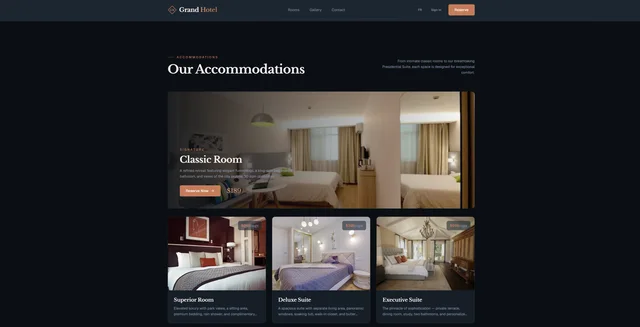
Hotel booking site with room pools, multi-night date-range reservations and Stripe checkout
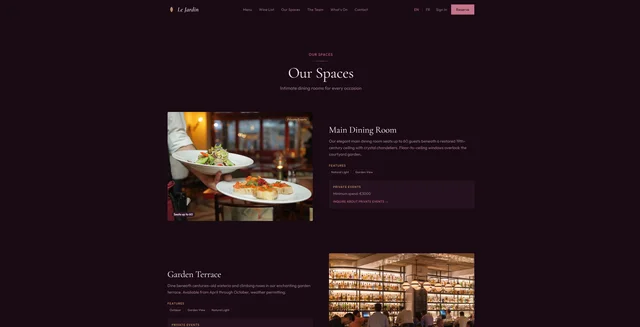
Restaurant reservation site with party-size bookings, dining experiences, and Stripe checkout