
Overview
Summary generated from the READMEReplaces the default relationship field UI with a visual gallery that shows image thumbnails for selection. It is added to the plugins array and applies a custom field component to relationship or upload fields whose relationTo matches the configured media collection slugs. Supports single and multiple selection and requires Payload 3.56 or newer.
Features
- Gallery-style interface with image thumbnails for selection
- Paginated loading with a Load More button for large media libraries
- Backend-powered search by alt text or filename
- Supports both single and multiple selection (hasMany)
- Selected images are sorted first and shown as a preview
- Collapsible interface to save screen space
Use cases
- Pick featured images for posts from a large media library using thumbnails
- Select multiple gallery images on a page with a visual preview of the choices
From the author
A Payload CMS plugin that enhances the relationship field to support image uploads.
Installation
npm i payload-plugin-image-relationship3
Stars
0
Forks
1
Open Issues
1 years ago
Last Updated
0
Weekly Downloads
v1.1.9
npm Version
657.1 KB
Unpacked Size
0
Dependencies
Trends (last 90 days)
Trends appear after 7 days of data. Daily snapshots have not started yet.
Trends appear after 7 days of data. Daily snapshots have not started yet.
Each point is npm's rolling 7-day download count.
Health Score
Composite score based on GitHub activity, stars, npm downloads, publish recency, dependency count, and package size.
Badge for your README

[](https://payloaddirectory.dev/plugins/1062051009-root)<a href="https://payloaddirectory.dev/plugins/1062051009-root"><img src="https://payloaddirectory.dev/badge/1062051009-root.svg" alt="Payload Directory"></a>README
Payload Plugin Image Relationship
A Payload CMS plugin that enhances the relationship field to support image uploads.
Features
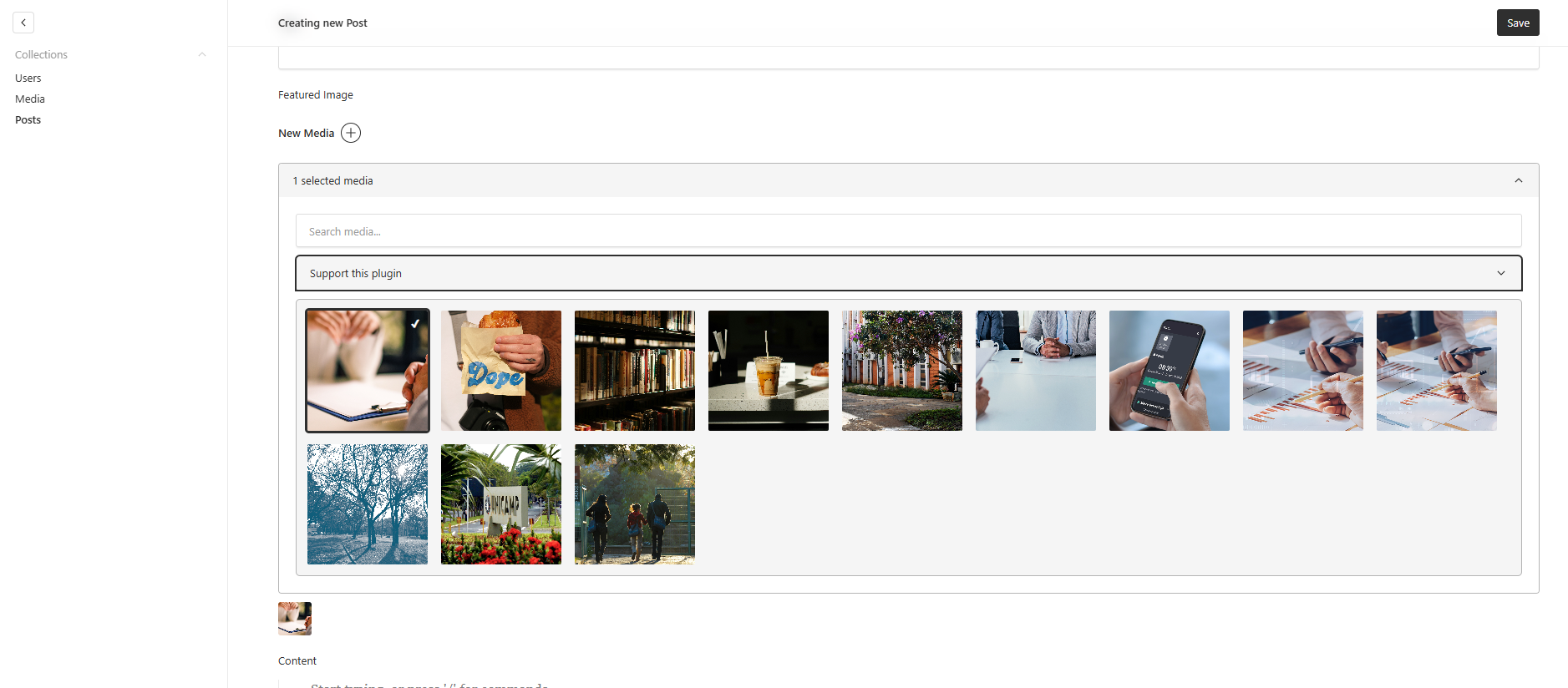
- Replaces the default relationship field with a visual, gallery-style interface.
- Displays image thumbnails for easy selection.
- Efficiently handles large media libraries with paginated loading ("Load More").
- Backend-powered search for fast and accurate filtering by
alttext orfilename. - Supports both
hasMany: false(single selection) andhasMany: true(multiple selections). - Selected images are sorted and displayed first.
- Collapsible interface to save screen space.
- Shows a preview of selected images.
Screenshot
Installation
pnpm install payload-plugin-image-relationship
or
npm install payload-plugin-image-relationship
or
yarn add payload-plugin-image-relationship
Usage
In your payload.config.ts, import the plugin and add it to the plugins array.
import { buildConfig } from 'payload/config';
import { imageRelationshipPlugin } from 'payload-plugin-image-relationship';
import { Media } from './collections/Media'; // Your media collection
import { Posts } from './collections/Posts'; // A collection with a relationship to Media

export default buildConfig({
  // ...
  collections: [Media, Posts],
  plugins: [
    imageRelationshipPlugin({
      // The 'relationTo' property should match the slug of your media collection
      relationTo: 'media',
    }),
  ],
  // ...
});
The relationTo option can be a single slug or an array of slugs. The plugin will apply the custom field component to any relationship or upload field that has a relationTo property matching one of the provided slugs.
Example of a relationship field in your collection:
// In your Posts collection
import { CollectionConfig } from 'payload/types';

export const Posts: CollectionConfig = {
  slug: 'posts',
  fields: [
    {
      name: 'title',
      type: 'text',
    },
    {
      name: 'featuredImage',
      type: 'relationship',
      relationTo: 'media', // This must match the 'relationTo' in the plugin options
    },
  ],
};
Similar plugins

icons
SVG icon collections with upload optimization, an admin icon select, and a server Icon component for Payload
540/wk37v3

encrypted fields
Encrypt field values at rest in the database with a drop-in encryptedField helper
6955/wk83v3

payload icon picker
Icon picker field with searchable dropdown or drawer grid that stores the icon name and raw SVG
690/wk52v3

payload phone number plugin
Phone number field with country selection, formatting and validation powered by libphonenumber-js
64114/wk16v3

payload plugin json form builder
Edit a Payload JSON field as real admin fields using a builder inside the admin panel
580/wk29v3

payload plugin icons
Icon picker field for Payload with Lucide and Phosphor providers and a React rendering component
570/wk2v3