
Overview
Summary generated from the READMEAdds a code block for Lexical rich text fields that is highlighted on the server with Shiki. It is registered as a Payload plugin, added to the editor through BlocksFeature, and rendered on the frontend with provided JSX converters. Editors choose language, themes, line numbers and line notations per block. Requires Payload 3.55.1 or later.
Features
- Server-side highlighting with Shiki, rendered as a React server component
- Configurable language list loaded up front to limit bundle size
- Light and dark theme selection globally or per block
- Line highlight, add and remove notations by line range
- Optional line numbers, filename and language label, and a copy button that can be replaced
- Custom Shiki transformers, lifecycle hooks, style options and CSS variables
Use cases
- Show syntax-highlighted code samples in blog posts or documentation written in Payload rich text
- Render themed code blocks with diff and line highlighting without shipping highlighter code to the browser
From the author
A server rendered code block component powered by Shiki for Payload CMS
Installation
npm i payload-shiki-code3
Stars
0
Forks
2
Open Issues
1 years ago
Last Updated
0
Weekly Downloads
v0.0.3
npm Version
170.2 KB
Unpacked Size
1
Dependencies
Trends (last 90 days)
Trends appear after 7 days of data. Daily snapshots have not started yet.
Trends appear after 7 days of data. Daily snapshots have not started yet.
Each point is npm's rolling 7-day download count.
Health Score
Composite score based on GitHub activity, stars, npm downloads, publish recency, dependency count, and package size.
Badge for your README

[](https://payloaddirectory.dev/plugins/1052533373-root)<a href="https://payloaddirectory.dev/plugins/1052533373-root"><img src="https://payloaddirectory.dev/badge/1052533373-root.svg" alt="Payload Directory"></a>README
Payload Shiki Code Plugin
A Payload CMS plugin that integrates Shiki syntax highlighting for code blocks with support for richtext fields. Provides server-side syntax highlighting with extensive theme and language support, lazy loading, and maximum customization options.
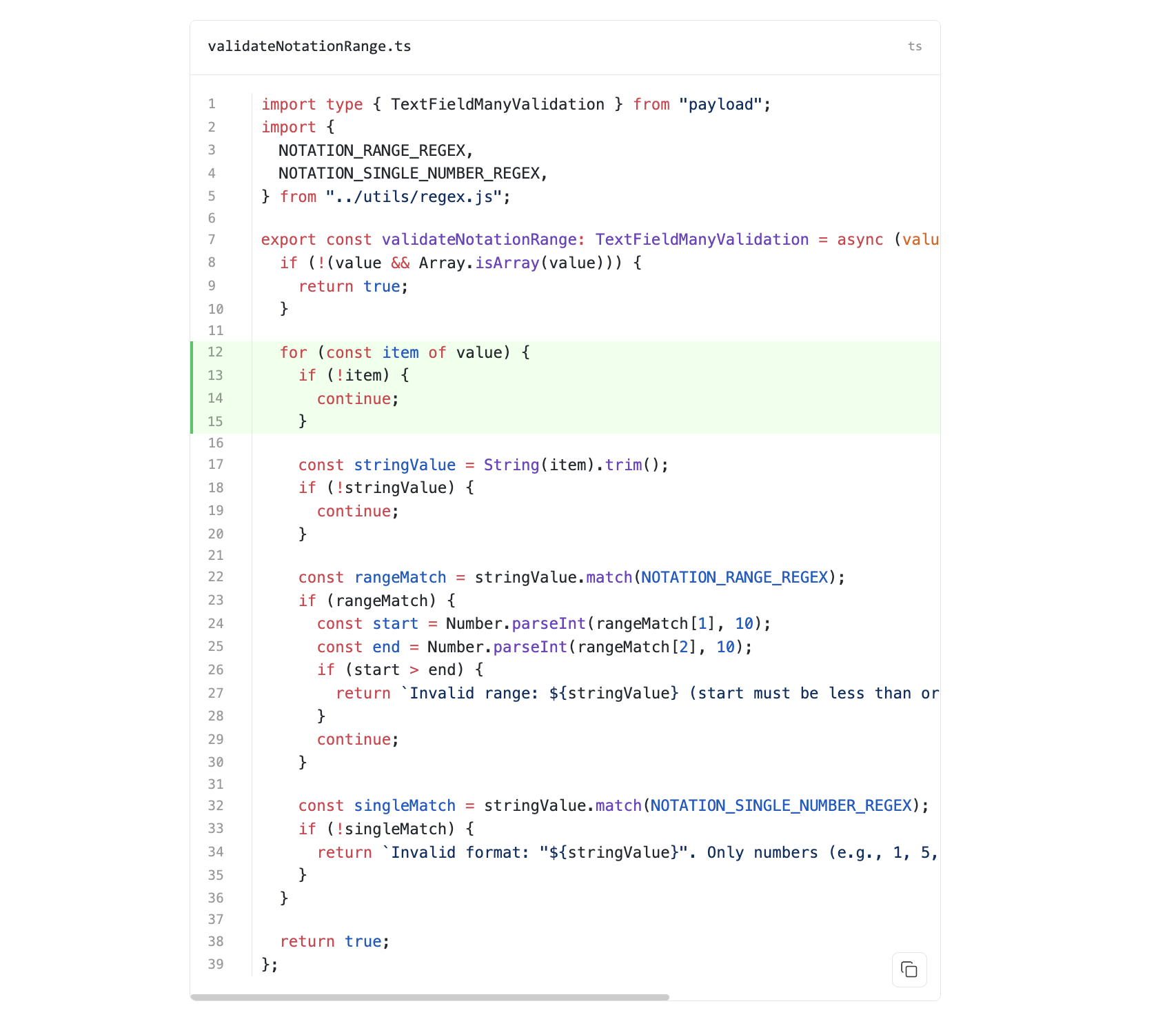
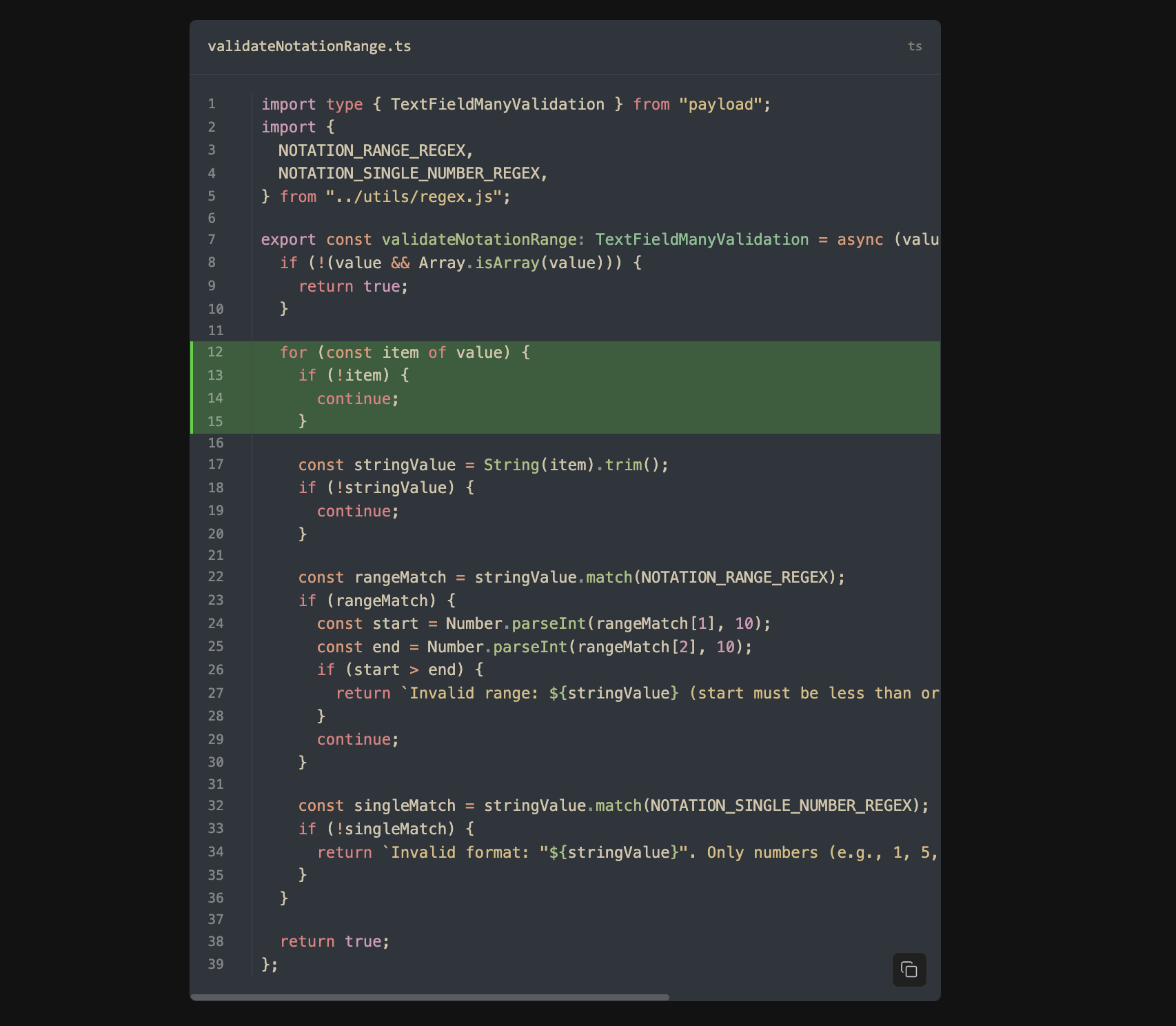
Features
- Server-side syntax highlighting using Shiki
- 60+ programming languages supported
- 60+ themes (light and dark variants)
- Lazy loading of languages
- Field-based notation for line highlighting, diff markers
- Customizable display options (line numbers, language labels)
- Lifecycle hooks for extensibility
- TypeScript support with full type safety
- Cached highlighter instance for optimal performance
Installation
npm install payload-shiki-code
# or
pnpm add payload-shiki-code
# or
yarn add payload-shiki-code
Basic Usage
1. Configure the Plugin
Add the plugin to your Payload configuration:
// payload.config.ts
import { buildConfig } from "payload/config";
import { payloadShikiCode } from "payload-shiki-code";

export default buildConfig({
  plugins: [
    payloadShikiCode({
      languages: ["javascript", "typescript", "python", "html", "css"],
      displayOptions: {
        lineNumbers: true,
        showLanguage: true,
        copyButton: true,
      },
      shiki: {
        themes: {
          light: "github-light", // default global theme for light mode
          dark: "github-dark", // default global theme for dark mode
        },
      },
      // ... other options
    }),
  ],
  // ... rest of your config
});
NOTE: If you need dark mode support, make sure add following to your global css:
:root {
  color-scheme: light dark;
}
2. Add Code Block to Richtext Fields
Import and add the code block to your richtext fields:
// In your collection/global configuration
import { lexicalEditor } from "@payloadcms/richtext-lexical";
import { BlocksFeature } from "@payloadcms/richtext-lexical/client";
import { createBlockConfig } from "payload-shiki-code";

export const Posts = {
  slug: "posts",
  fields: [
    {
      name: "content",
      type: "richText",
      editor: lexicalEditor({
        features: ({ defaultFeatures }) => [
          ...defaultFeatures,
          BlocksFeature({
            blocks: [
              createBlockConfig(), // Add the code block
            ],
          }),
        ],
      }),
    },
  ],
};
3. Add JSX Converters for Frontend Rendering
To render code blocks on your frontend, add the JSX converters:
// For React frontend rendering
import { createCodeBlockJSXConverter, mergeCodeBlockConverter } from 'payload-shiki-code/converters'

// Using a helper function
const jsxConverters: JSXConvertersFunction<NodeTypes> = ({
  defaultConverters,
}) => mergeCodeBlockConverter(defaultConverters, "test"); // extra classnames to the code block

// Or manually merging
const jsxConverters: JSXConvertersFunction<NodeTypes> = ({
  defaultConverters,
}) => ({
  ...defaultConverters,
  blocks: {
    ...defaultConverters.blocks,
    ...createCodeBlockJSXConverter("test").blocks,
  },
});

// Use with your richtext rendering
<RichText data={post.content} converters={jsxConverters} />
Configuration Options
Plugin Options
interface PayloadShikiCodeConfig {
  // Plugin control
  disabled?: boolean;
  blockSlug?: string; // default: 'code'
  blockInterfaceName?: string; // default: 'CodeBlock'
  cacheHighlighter?: boolean; // default: true

  // Language configuration
  languages?: Array<BundledLanguage | SpecialLanguage | LanguageRegistration>; // default: ['text'] - only these languages will be loaded

  // Shiki configuration
  shiki?: {
    themes?: {
      light: BundledTheme | ThemeRegistration;
      dark: BundledTheme | ThemeRegistration;
      [key: string]: BundledTheme | ThemeRegistration;
    };
    highlighterOptions?: Partial<HighlighterCoreOptions>; // e.g., { engine: 'javascript' } for JS regex engine
    codeToHastOptions?: Partial<CodeToHastOptions>;
    transformers?: Array<ShikiTransformer | TransformerFactory>;
  };

  // Display defaults
  displayOptions?: {
    lineNumbers?: boolean; // default: true
    showLanguage?: boolean; // default: true
    copyButton?: boolean; // default: true
    startLineNumber?: number; // default: 1
    containerClasses?: string[];
    preClasses?: string[];
    codeClasses?: string[];
  };

  // Notation styling
  notationOptions?: {
    highlight?: {
      backgroundColor?: string;
      borderColor?: string;
      className?: string;
    };
    add?: {
      backgroundColor?: string;
      borderColor?: string;
      className?: string;
    };
    remove?: {
      backgroundColor?: string;
      borderColor?: string;
      className?: string;
    };
  };

  // Style customization
  styleOptions?: {
    cssVariables?: Record<string, string>;
    borderColor?: string;
    borderRadius?: string;
    backgroundColor?: string;
    padding?: string;
    fontFamily?: string;
    fontSize?: string;
    lineHeight?: string;
    lineNumberMarginRight?: string;
    copyButton?: {
      // Light theme styles
      backgroundColor?: string;
      color?: string;
      borderColor?: string;
      hoverBackgroundColor?: string;
      hoverBorderColor?: string;
      successColor?: string;
      successBackgroundColor?: string;
      successBorderColor?: string;
      successHoverBackgroundColor?: string;
      // Dark theme styles
      dark?: {
        backgroundColor?: string;
        color?: string;
        borderColor?: string;
        hoverBackgroundColor?: string;
        hoverBorderColor?: string;
        successColor?: string;
        successBackgroundColor?: string;
        successBorderColor?: string;
        successHoverBackgroundColor?: string;
      };
    };
  };

  // Lifecycle hooks
  hooks?: {
    onHighlighterCreate?: (
      highlighter: HighlighterGeneric<BundledLanguage, BundledTheme>
    ) => void | Promise<void>;
    onHighlighterDispose?: () => void | Promise<void>;
    beforeRender?: (
      code: string,
      lang: string,
      options: any
    ) => void | Promise<void>;
    afterRender?: (
      html: string,
      code: string,
      lang: string
    ) => void | Promise<void>;
  };
}
Language Configuration
The plugin uses a simplified language configuration to optimize bundle size and improve performance:
export default buildConfig({
  plugins: [
    payloadShikiCode({
      // Only these languages will be loaded and available, aliases will be excluded
      languages: [
        'javascript',
        'typescript',
        'python',
        'html',
        'css',
        'json',
        'markdown',
        'bash',
        'text', // Special language for plain text
        'ansi'  // Special language for ANSI colored output
      ],
    })
  ]
})
Benefits:
- Reduced Bundle Size: Only specified languages are included in the server bundle
- Better Performance: All languages are preloaded during highlighter initialization
- Type Safety: Uses
BundledLanguagetype for autocomplete and validation - Simplified Configuration: Single
languagesarray instead of multiple options
Available Languages: The languages option accepts:
- BundledLanguage: All standard programming languages supported by Shiki (60+ languages including
javascript,typescript,python,go,rust, etc.) - SpecialLanguage: Special languages like
text,ansifor non-syntax-highlighted content - LanguageRegistration: Custom language definitions for unsupported languages
See the complete language list for all available options.
Advanced Usage
Custom Transformers
Add custom Shiki transformers for additional functionality:
import { payloadShikiCode } from "payload-shiki-code";
import type { ShikiTransformer } from "shiki";

const myCustomTransformer: ShikiTransformer = {
  name: "my-transformer",
  code(node) {
    // Modify the code node
    return node;
  },
};

export default buildConfig({
  plugins: [
    payloadShikiCode({
      shiki: {
        transformers: [
          myCustomTransformer,
          // Or use a factory function that receives plugin options
          (options) => ({
            name: "context-aware-transformer",
            code(node) {
              // Access plugin options here
              return node;
            },
          }),
        ],
      },
    }),
  ],
});
Custom Copy Button
Replace the default copy button with your own implementation by passing it as a prop to the CodeBlock component:
"use client";

import { CodeBlock, type CodeBlockProps } from "payload-shiki-code/rsc";
import type { CopyButtonProps } from "payload-shiki-code/client";
// or import the default copy button
// import { CopyButton } from "payload-shiki-code/client";

// Custom copy button component
const CustomCopyButton = ({ code, onCopySuccess, onCopyError }: CopyButtonProps) => {

  // const handleClick = ...

  return (
    <button
      onClick={handleClick}
    >
      Copy to clipboard
    </button>
  );
};

// Use in your React component
function MyCodeBlock({ data }: { data: CodeBlockProps["data"] }) {
  return (
    <CodeBlock
      data={data}
      CopyButton={CustomCopyButton} // Pass your custom copy button here
    />
  );
}
The CopyButtonProps interface provides:
code: The code content to copyclassName: Optional CSS class nameariaLabel: Optional aria-label for accessibilityonCopySuccess: Callback when copy succeedsonCopyError: Callback when copy failssuccessDuration: Duration to show success state
You can customize the copy button appearance through the plugin configuration:
export default buildConfig({
  plugins: [
    payloadShikiCode({
      styleOptions: {
        copyButton: {
          // Light theme styles
          backgroundColor: "rgba(255, 255, 255, 0.95)",
          color: "rgb(50, 50, 50)",
          borderColor: "rgba(0, 0, 0, 0.15)",
          hoverBackgroundColor: "rgba(255, 255, 255, 1)",
          hoverBorderColor: "rgba(0, 0, 0, 0.25)",
          successColor: "rgb(16, 185, 129)",
          successBackgroundColor: "rgba(16, 185, 129, 0.1)",
          successBorderColor: "rgba(16, 185, 129, 0.3)",
          successHoverBackgroundColor: "rgba(16, 185, 129, 0.15)",
          // Dark theme styles
          dark: {
            backgroundColor: "rgba(40, 40, 40, 0.95)",
            color: "rgb(220, 220, 220)",
            borderColor: "rgba(255, 255, 255, 0.15)",
            hoverBackgroundColor: "rgba(50, 50, 50, 1)",
            hoverBorderColor: "rgba(255, 255, 255, 0.25)",
            successColor: "rgb(16, 185, 129)",
            successBackgroundColor: "rgba(16, 185, 129, 0.1)",
            successBorderColor: "rgba(16, 185, 129, 0.3)",
            successHoverBackgroundColor: "rgba(16, 185, 129, 0.15)",
          },
        },
      },
    }),
  ],
});
Alternatively, you can override the CSS variables directly:
:root {
  /* Light theme */
  --shiki-copy-button-bg: rgba(255, 255, 255, 0.9);
  --shiki-copy-button-color: rgb(59, 59, 59);
  --shiki-copy-button-border: rgba(0, 0, 0, 0.1);
  --shiki-copy-button-hover-bg: rgba(255, 255, 255, 1);
  --shiki-copy-button-hover-border: rgba(0, 0, 0, 0.2);
  --shiki-copy-success-color: rgb(34, 197, 94);
  --shiki-copy-success-border: rgba(34, 197, 94, 0.3);
  --shiki-copy-success-bg: rgba(34, 197, 94, 0.1);
  --shiki-copy-success-hover-bg: rgba(34, 197, 94, 0.15);

  /* Dark theme */
  --shiki-copy-button-bg-dark: rgba(30, 30, 30, 0.9);
  --shiki-copy-button-color-dark: rgb(200, 200, 200);
  --shiki-copy-button-border-dark: rgba(255, 255, 255, 0.1);
  --shiki-copy-button-hover-bg-dark: rgba(40, 40, 40, 0.95);
  --shiki-copy-button-hover-border-dark: rgba(255, 255, 255, 0.2);
  --shiki-copy-success-color-dark: rgb(34, 197, 94);
  --shiki-copy-success-border-dark: rgba(34, 197, 94, 0.3);
  --shiki-copy-success-bg-dark: rgba(34, 197, 94, 0.1);
  --shiki-copy-success-hover-bg-dark: rgba(34, 197, 94, 0.15);
}
Lifecycle Hooks
Hook into the plugin lifecycle for custom functionality:
export default buildConfig({
  plugins: [
    payloadShikiCode({
      hooks: {
        onHighlighterCreate: async (highlighter) => {
          console.log(
            "Highlighter created with themes:",
            highlighter.getLoadedThemes()
          );
        },
        beforeRender: async (code, lang, options) => {
          // Log or modify before rendering
          console.log(`Rendering ${lang} code block`);
        },
        afterRender: async (html, code, lang) => {
          // Process the generated HTML
        },
      },
    }),
  ],
});
Block Fields
The code block includes the following fields that users can configure:
Code Tab
- Language: Select from preloaded languages
- File Name: Optional filename display
- Notation Type: Choose from 'add', 'remove', or 'highlight'
- Notation Range: Specify line ranges as an array (e.g., ["1-5", "7", "10-12"])
- Code: The actual code content
Config Tab
- Light Theme: Select theme for light mode
- Dark Theme: Select theme for dark mode
- Show Line Numbers: Toggle line number display
- Show Language Label: Toggle language label display
- Wrap: Enable/disable line wrapping
Additional Exports
The plugin also provides these utility exports:
// Admin components
import { CodeFieldClient } from "payload-shiki-code/admin";

// Utilities
import { getLanguageAlias, loadTheme } from "payload-shiki-code/utils";

// Default copy button component
import { CopyButton } from "payload-shiki-code/client";
CSS Classes
The plugin provides several CSS classes for custom styling:
.shiki-container- Main container wrapper.shiki-content- Content wrapper.shiki-header- Header section with filename and language.shiki-file-name- File name display.shiki-language- Language label.shiki-code-wrapper- Code area wrapper.shiki-line- Individual code lines.shiki-line-number- Line number elements
Performance Considerations
- Cached Highlighter: By default, the plugin caches the Shiki highlighter instance for optimal performance
- Bundle Size Optimization: Only the languages specified in the
languagesconfig are loaded, reducing server bundle size, the code block is a React server component, no extra JavaScript code for your frontend - Server-Side Rendering: All syntax highlighting happens on the server for better performance
- Language Preloading: All configured languages are loaded when the highlighter is created, eliminating runtime loading delays
License
Contributing
Contributions are welcome! Please read our contributing guidelines and submit pull requests to our repository.
Support
For issues and questions:
- Create an issue on our GitHub repository
- Check the Shiki documentation for Shiki-specific questions
- Refer to Payload CMS documentation for Payload-related questions
Similar plugins

fullscreen editor
Fullscreen mode for the Payload Lexical rich text editor
680/wk114v3

richtext
Rich-text child block, default Lexical editor preset and JSX renderer for Atomic Payload
610/wk37v3

payload lexical typography
Lexical editor features for text color, font size, letter spacing, line height and font family
571.1k/wk109v?

payload paste as markdown
Lexical editor feature for pasting raw Markdown via a toolbar button, slash command, or drawer
570/wk0v3

payload editor
Preset-based, deterministic configuration builder for the Payload Lexical rich text editor
564/wk2v3

payload richtext lexical react native
React Native renderer for serialized Lexical rich text content from Payload CMS
420/wk0v3